| Support Category: Course Information Inquiry | Evaluation Inquiry |
| Specialist Notes: |
In the event you do not see the email or the user asks for the date on which the final assessment becomes available, you will want to do the following:
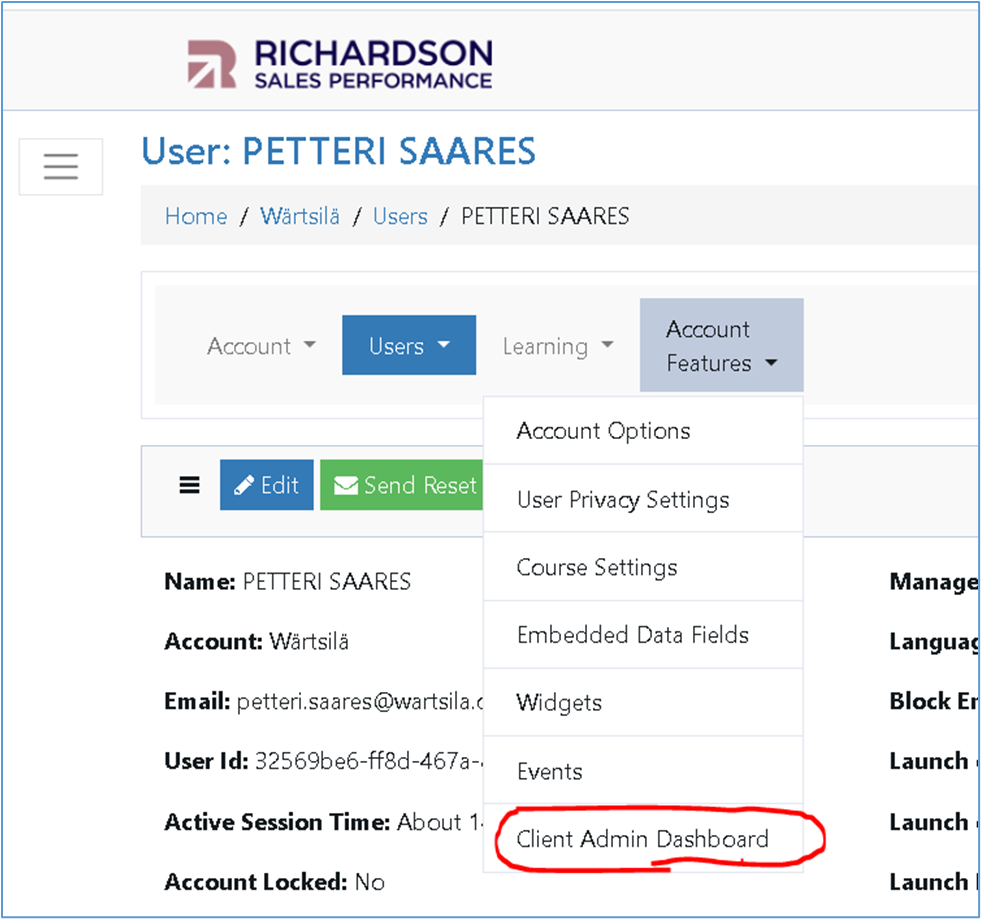
1. Click on Account Features and select Client Admin Dashboard from the drop-down.
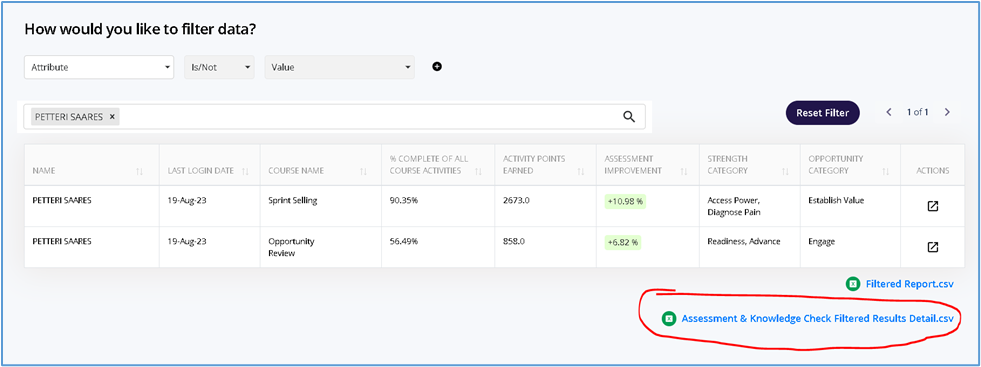
2. Under How Would You Like to Filter Data?, use the search bar to search for the user and click on Assessment & Knowledge Check Filter Results Detailed.csv
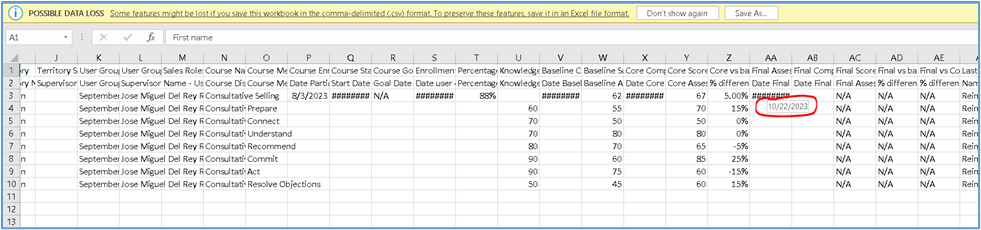
3. This will download an Excel Spreadsheet to your computer. Open the Excel Spreadsheet and find the column labeled Final Assessment. A few rows down, you will find a cell filled with ######. Hover your mouse over this cell to get the date of the final assessment.
| Standard Response: |
Thank you for your patience while I looked into this for you.
We have confirmed that you have completed all the key milestones in the course. The assessment you have reached will be unlocked for you soon, at which time you will receive an email notification to complete it.
